


 For a while, Samsung had the best smart TV experience around, thanks to the huge number of available apps, and also to the great smart remote included with higher-end TVs. 2015’s update saw Samsung create a new smart OS, based on its Tizen OS, in an effort to improve the user experience to something more along the lines of LG’s WebOS. It improved in several ways, but the app selection is more limited than Samsung’s smart platforms from years past.
Picture quality of Samsung smart TVs
| Smart TV | Our Score | OS | Remote |
| Samsung KU6300 | 7.2/10 | Tizen (2016) | Smart |
| Samsung J5200 | 6.4/10 | Tizen | Basic |
| Samsung J5500 | 6.3/10 | Tizen | Basic |
| Samsung J6200 | 7.3/10 | Tizen (2014) | Basic |
| Samsung J6300 | 7.3/10 | Tizen | Basic |
| Samsung JU6400 | 7.5/10 | Tizen | Basic |
| Samsung JU6500 | 7.2/10 | Tizen | Basic |
| Samsung JU6700 | 7.1/10 | Tizen | Smart |
| Samsung JU7100 | 7.7/10 | Tizen | Smart |
| Samsung JU7500 | 7.9/10 | Tizen | Smart |
| Samsung KS8000 | 8.2/10 | Tizen (2016) | Smart |
| Samsung JS7000 | 7.4/10 | Tizen | Basic |
| Samsung JS8500 | 8.1/10 | Tizen | Smart |
| Samsung KS9000 | 8.3/10 | Tizen (2016) | |
| Samsung JS9000 | 8.2/10 | Tizen | Smart |
| Samsung KS9500 | 8.3/10 | Tizen (2016) | Smart |
| Samsung JS9500 | 8.0/10 | Tizen | Smart |
Generally speaking, Samsung’s smart TVs have really good picture quality, so people looking for a good smart TV would do well to pick this brand. We reviewed a lot of Samsung smart TVs in 2015. Check out our individual in-depth reviews to get an idea of the picture quality of each model.
The rest of this article reviews the smart features only, that are common with all of Samsung's smart TVs. We used theSamsung JU7100 UHD TV for this review, but will point out differences between models where applicable.
Remote Control
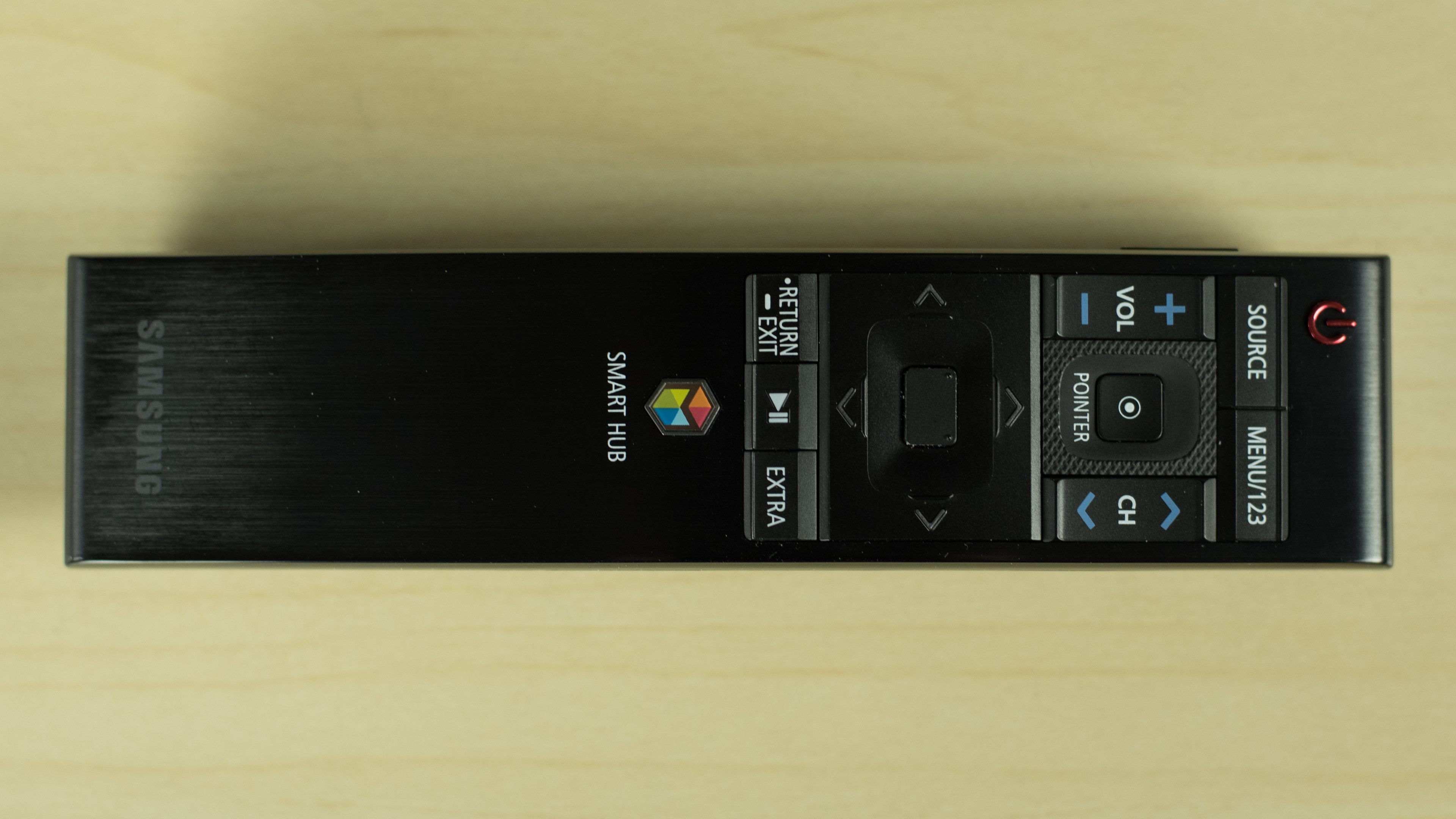
The remote that is included with this TV is great. As with previous Samsung smart remotes, it offers point-and-click capability, making entering text, browsing the web, and selecting apps a breeze. New this year is that the remote is slim, and curved to fit your hand. From an aesthetic and ergonomic standpoint, it’s a welcome change.
There is a catch, though. To maintain that slim form factor, the Samsung remote had to do away with several buttons. Some of the buttons perform multiple functions – holding down the Menu/123 button, for example, will enable Voice Recognition – but this is not immediately obvious. If you don’t read the manual or watch the tutorials, it’s likely that you’ll find browsing on the TV to be more of a chore than it should be.
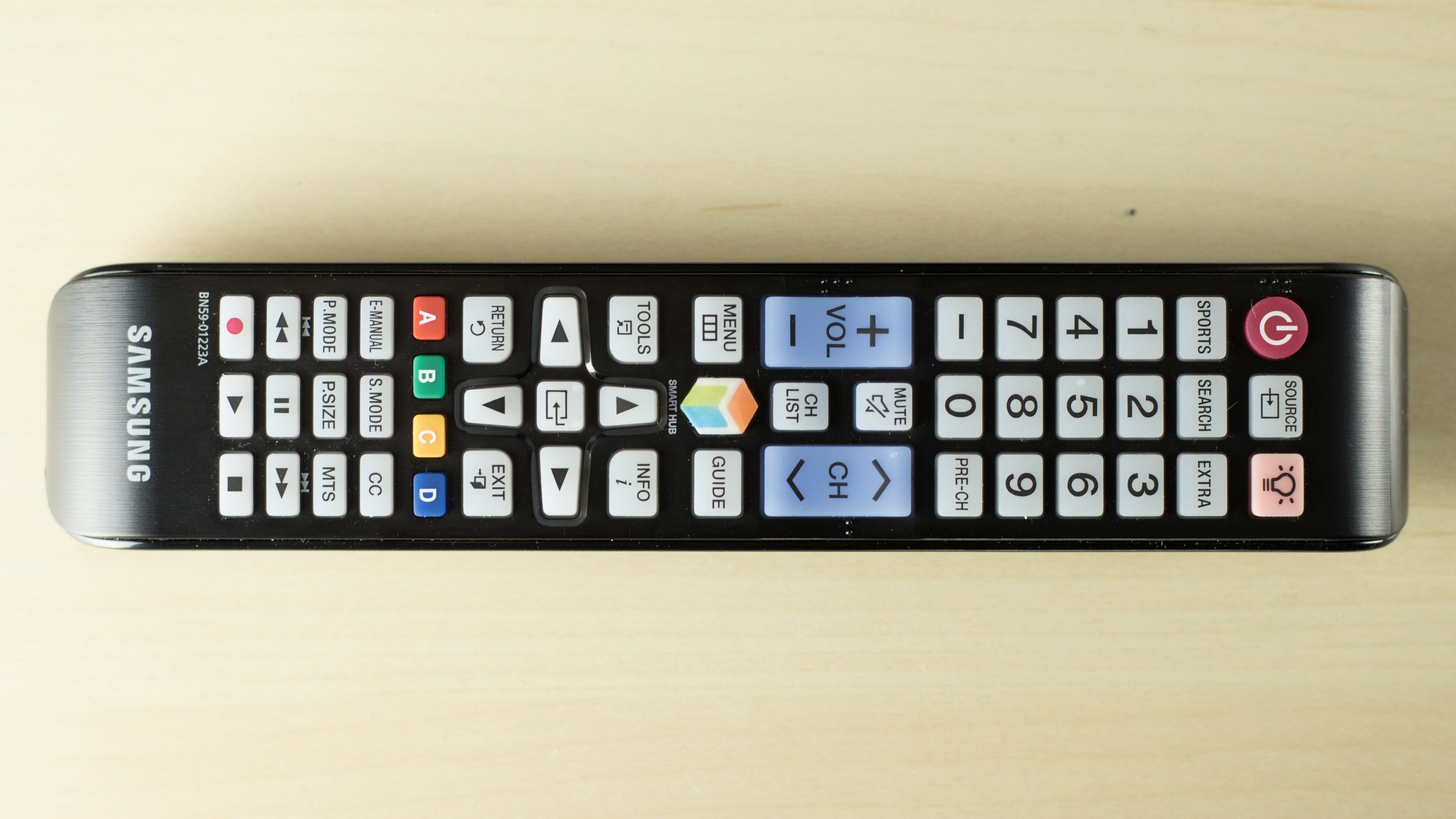
The cheaper Samsung TVs – the 6 series and lower – have a regular remote that will require you use arrows to navigate, which is slower and less natural. If you plan to use your TV’s smart features a lot, you should get one of the TVs with the smart remote.

No comments:
Post a Comment
it's very helpful.